



Allow students and teachers to scan paper documents directly into Blackboard Learn, Google Drive, Canvas, and other applications so they can be easily shared and printed at any time. Our Cloud Education solution includes assessment, consulting services, Ricoh MFPs (if needed), and cloud storage.
Digitize. Share. Print.

Utilize collaboration tools like Blackboard Learn and Google Drive more quickly and efficiently.
With all the technology tools at our disposal, you might have thought it would be easy to manage and share information in the cloud. But several steps and pieces of equipment are common. For example, to get a schematic drawing in Blackboard Learn, you need to scan it or capture the image with your smartphone, email it to yourself, download the file to a desktop computer, and then upload it. Phew!
There's a better way. Our Cloud Education solution allows students and teachers to use Ricoh MFPs to:
- Scan printed documents directly to Blackboard Learn, Google Drive, Canvas, and other cloud-based applications.
- Print documents without the need for a personal printer, special print drivers, or a network connection.
Upload documents in a single step.
Share information easily, eliminating time-consuming workarounds.
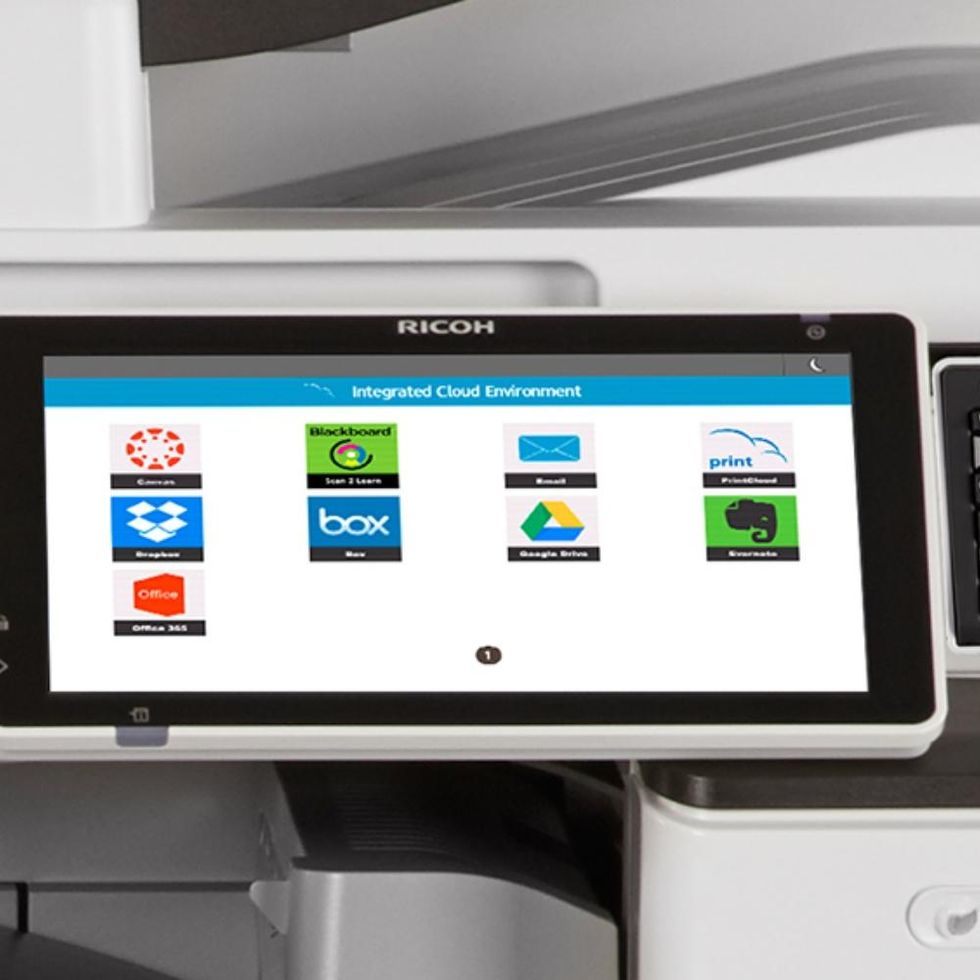
Replace your complicated document management processes with simple, icon-based controls. Our Cloud Education Pack includes scan-to-cloud application connectors that work with our Integrated Cloud Environment (ICE) technology and ICE-compatible MFPs to help ensure your information doesn't get lost.
Here's how it all works:
- Tap the Ricoh Cloud Apps icon on the MFP interface and log in with your credentials.
- Choose a connector (e.g., Scan2Learn for Blackboard or Google Drive, Office 365, etc.).
- Name the file you want to scan, choose the options, and tap Scan to automatically send your file to the specified account. In Blackboard Learn, you can attach the file to an assignment.
- To print, simply select the icon of the connector chosen in Step 2, enter a PIN, and select the document.
Keep everything simple in the cloud.

Avoid the expenses and complications of additional IT equipment or dedicated servers.
On-premise solutions are expensive and require frequent updates and maintenance, increasing capital expenditures. With Cloud Education, you can enhance online collaboration and allow students and teachers to focus on learning, all with services that are easy to activate, add, or change – without any additional IT infrastructure.
And because “anything” in the cloud can be confusing, we take a holistic approach that starts with your information management challenges and goals. After exploring these areas, we recommend best practices for your higher education organization, helping you save time and avoid potentially costly mistakes.